
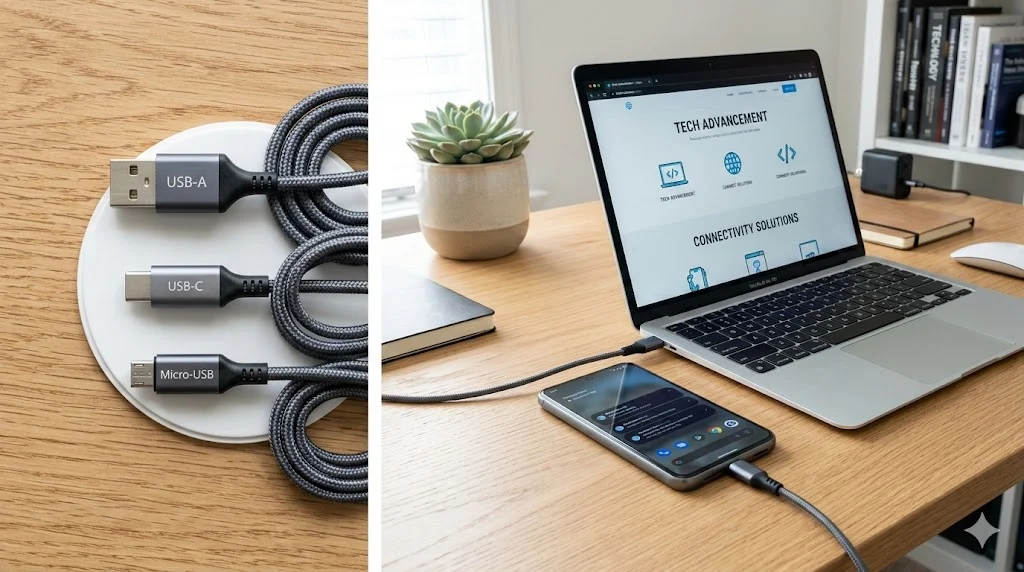

USB stands for Universal Serial Bus.
It is a standard technology used to connect computers and electronic devices for data transfer, communication, and power supply.USB allows devices such as keyboards, flash drives, smartphones, printers, and cameras to connect easily through a single universal interface.
In today’s digital world, it’s almost impossible to use a computer or smartphone without encountering USB. From charging phones to transferring files and connecting accessories like keyboards or printers, USB technology powers countless everyday tasks.
However, many people still ask a simple question: What is the full form of USB?
While the term appears everywhere—from cables and flash drives to ports and chargers—its actual meaning, origin, and functionality are often overlooked. In this comprehensive guide, we’ll explore the USB full form, its history, types, real-world uses, and how this small connector revolutionized the way devices communicate.
Although USB is mainly associated with cables and ports, the technology behind it plays a major role in modern computing and electronics.
What Does USB Mean? (Understanding the Full Form)
The abbreviation USB expands to Universal Serial Bus, and each word reflects an important aspect of the technology.
Breaking Down the USB Full Form
| Term | Meaning |
|---|---|
| Universal | Designed to work with many different devices |
| Serial | Transfers data one bit at a time in sequence |
| Bus | A system that allows communication between multiple devices |
Therefore, Universal Serial Bus essentially means a standard communication system that connects multiple electronic devices and allows them to exchange data and power.
Because of this universal design, USB became the most widely used connection standard in the world.
Origin of USB
Before USB existed, connecting devices to computers was often complicated. Different ports and connectors were required for different devices, which created confusion for users.
The Problem Before USB
Earlier computers relied on several types of ports, such as:
- Serial ports
- Parallel ports
- PS/2 ports for keyboards and mice
- Proprietary connectors for printers and scanners
As a result, compatibility issues were extremely common.
The Birth of USB Technology
To solve this problem, several technology companies collaborated in the mid-1990s to create a universal standard.
Major contributors included:
- Intel
- Microsoft
- IBM
- Compaq
- NEC
- Northern Telecom
Eventually, the first USB standard was introduced in 1996. Over time, it evolved into the powerful and flexible interface we use today.
Why USB Became So Popular
USB technology quickly replaced older connection methods. Several key advantages helped drive its widespread adoption.
Major Reasons for USB’s Success
- 🔌 Universal compatibility across devices
- ⚡ Ability to provide both data transfer and power
- 🔄 Plug-and-play functionality without complex setup
- 📱 Support for phones, computers, cameras, and accessories
- 💻 Standardization across operating systems
Consequently, USB became the default connection system for most electronics.
How USB Works
USB works by establishing communication between a host device and a peripheral device.
Typical USB Setup
| Component | Function |
|---|---|
| Host device | Controls the connection (computer, laptop, smartphone) |
| Peripheral device | Connected device (keyboard, mouse, printer, flash drive) |
| USB cable or connector | Transfers data and power |
Step-by-Step Process
- A USB device is plugged into a USB port.
- The host device detects the connection automatically.
- Drivers are installed if needed.
- Communication begins between the devices.
- Data or power flows through the USB interface.
Because of this simple system, USB devices can usually start working within seconds.
Common Types of USB Connectors
Over the years, several USB connector types have been developed. Each type is designed for different devices and purposes.
1. USB Type-A
This is the most recognizable USB connector.
Common uses include:
- Computers and laptops
- Flash drives
- Keyboards and mice
Key feature: Rectangular shape.
2. USB Type-B
USB Type-B connectors are mostly used for larger devices.
Examples include:
- Printers
- Scanners
- External hard drives
Key feature: Square shape with beveled corners.
3. Micro-USB
Micro-USB became widely used in smartphones and portable electronics.
Common devices:
- Older Android phones
- Bluetooth speakers
- Power banks
However, this connector is gradually being replaced by newer standards.
4. USB Type-C
USB-C is the latest and most advanced USB connector.
Key benefits:
- Reversible design
- Faster data speeds
- Higher power delivery
- Used by modern laptops and smartphones
Today, USB-C is becoming the global standard for charging and data transfer.
USB Versions and Speed Improvements
USB technology has improved significantly since its introduction. Each new version increased speed and performance.
USB Version Comparison
| Version | Maximum Speed | Release Year |
|---|---|---|
| USB 1.0 | 12 Mbps | 1996 |
| USB 2.0 | 480 Mbps | 2000 |
| USB 3.0 | 5 Gbps | 2008 |
| USB 3.1 | 10 Gbps | 2013 |
| USB 3.2 | 20 Gbps | 2017 |
| USB4 | Up to 40 Gbps | 2019 |
As technology advanced, USB became faster, more efficient, and capable of supporting high-performance devices.
Real-World Examples of USB Usage
USB plays a role in almost every modern electronic setup.
Common Everyday Uses
- Charging smartphones and tablets
- Connecting keyboards and mice
- Using USB flash drives for storage
- Linking printers and scanners
- Connecting external hard drives
- Transferring photos from cameras
Additionally, many gaming consoles and smart TVs also rely on USB connections.
Example Table: Everyday USB Devices
| Device | Purpose |
|---|---|
| USB flash drive | Portable data storage |
| Smartphone charger | Power delivery |
| Keyboard | Computer input |
| External hard drive | Data backup |
| Webcam | Video communication |
USB vs Similar Technologies
Although USB dominates device connectivity, other technologies exist as well.
USB vs Thunderbolt
| USB | Thunderbolt |
|---|---|
| Widely compatible | Higher speed |
| Affordable | More expensive |
| Common on most devices | Found on premium laptops |
USB vs HDMI
| USB | HDMI |
|---|---|
| Data and power transfer | Audio and video transmission |
| Connects peripherals | Connects displays |
USB vs Bluetooth
| USB | Bluetooth |
|---|---|
| Wired connection | Wireless |
| Faster data transfer | Convenient but slower |
| Provides power | Does not supply power |
Alternate Meanings of USB
While Universal Serial Bus is the primary meaning, the abbreviation USB may occasionally appear in other contexts.
For example:
- USB Drive – shorthand for a USB flash drive
- USB Port – connection slot on devices
- USB Cable – cable used for charging and data transfer
Nevertheless, the core meaning remains Universal Serial Bus.
Professional and Everyday Alternatives
Sometimes people refer to USB devices using simpler terms.
Common Alternatives
- Flash drive
- Pen drive
- Charging cable
- Data cable
- External storage device
Even so, these terms usually refer to devices that still rely on USB technology.
Do’s and Don’ts When Using USB Devices
Do
- Safely eject USB drives before removing them
- Use certified cables for charging devices
- Keep USB ports clean and dust-free
Don’t
- Force connectors into ports
- Remove drives during file transfer
- Use damaged cables or ports
Proper usage helps protect both your devices and your data.
Frequently Asked Questions (FAQ)
1. What is the full form of USB?
USB stands for Universal Serial Bus, a standard interface used to connect electronic devices.
2. What is USB mainly used for?
USB is used for data transfer, device communication, and charging electronic devices.
3. Who invented USB?
USB was developed by a group of technology companies including Intel, Microsoft, IBM, and Compaq.
4. What is the difference between USB and USB-C?
USB is the technology standard, while USB-C is a connector type used in modern devices.
5. What is a USB port?
A USB port is the slot on a computer or device where USB cables and accessories are connected.
6. Is USB used only in computers?
No. USB is used in smartphones, gaming consoles, TVs, cameras, and many other electronic devices.
7. What is a USB flash drive?
A USB flash drive is a portable storage device that plugs into a USB port to store and transfer files.
8. Is USB faster than Bluetooth?
Yes. USB typically provides much faster data transfer speeds than Bluetooth.
Why USB Is Still Important Today
Even with wireless technologies growing rapidly, USB remains essential. Its reliability, speed, and compatibility make it a cornerstone of modern electronics.
From charging smartphones to transferring massive data files, USB technology continues to support everyday digital life.
Conclusion: Key Takeaways About USB Full Form
- USB stands for Universal Serial Bus
- It enables data transfer, device communication, and charging
- Introduced in 1996, it replaced many older connection systems
- USB comes in several connector types including Type-A, Type-B, Micro-USB, and USB-C
- Modern USB versions provide extremely fast transfer speeds
Ultimately, USB simplified device connectivity and became one of the most important technologies in computing history.